

The honest truth: “free” is a great place to start and a terrible place to stay.
Searching “free CSV translation tool” usually means one of two things. Either you have a one-off file and don’t want to pay for a workflow you’ll use once. Or you’re testing tools before committing budget. Both are completely reasonable, and both deserve a clearer answer than the SEO listicles currently give you.
This article walks through the genuinely free options for translating CSV files in 2026, what each one is actually good at, and where the free path stops being enough.
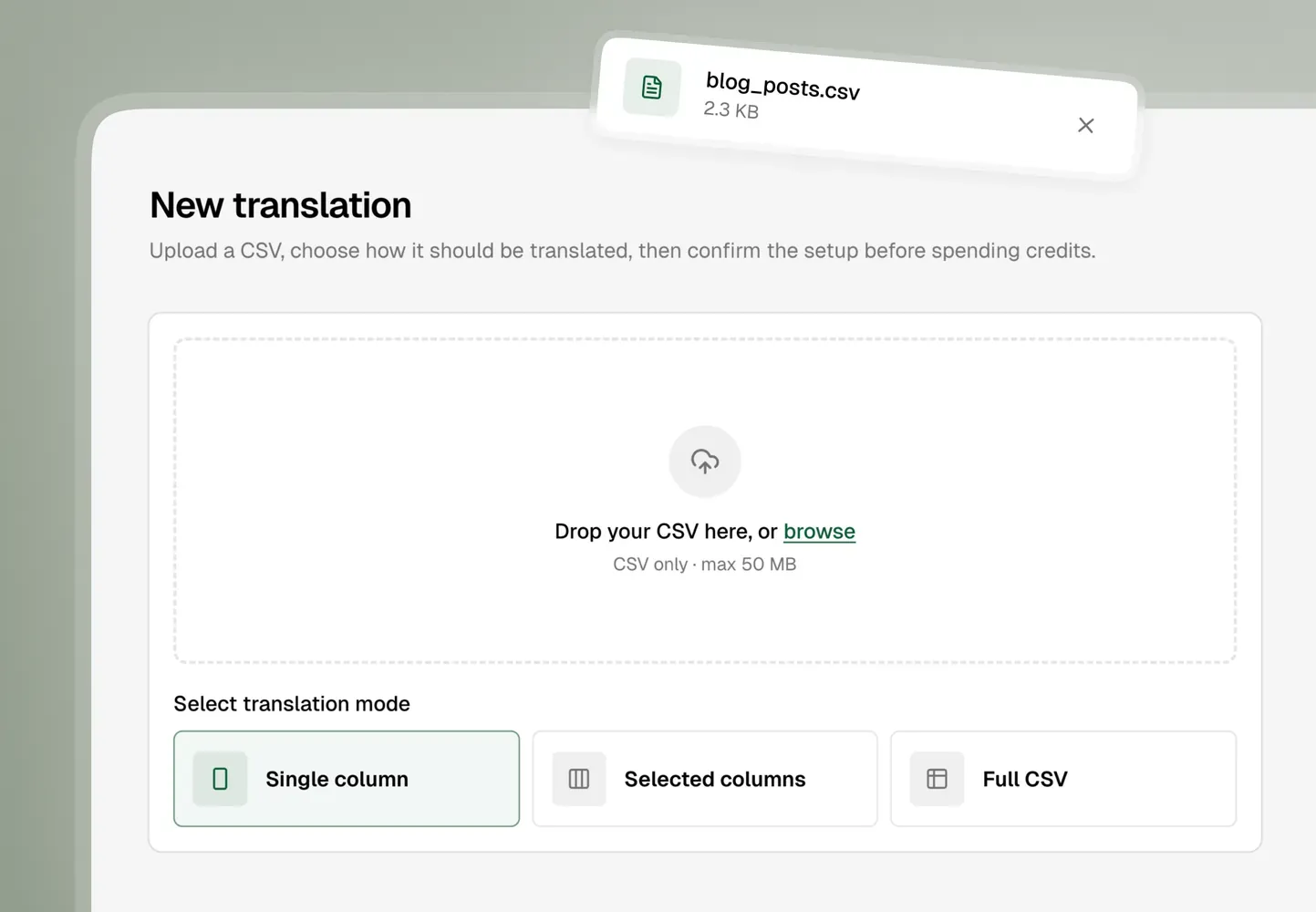
The three categories of “free”
Before the tool list, three distinct flavours of “free”:
- Free forever, with limits. A free tier, with quotas. AI Glot’s free tier sits here, so does Google Translate’s API up to a quota.
- Free if you self-host. Open-source software you run yourself. LibreTranslate is the main example. The software costs nothing, your time and a server cost something.
- Free as a side effect. Tools that aren’t sold as translation tools but happen to translate. Google Sheets with
GOOGLETRANSLATE()is the canonical example.
Each category breaks at a different point. Knowing where the break happens saves you from learning the hard way.
1. AI Glot’s Free Web Tool (No signup) & Platform Free Tier
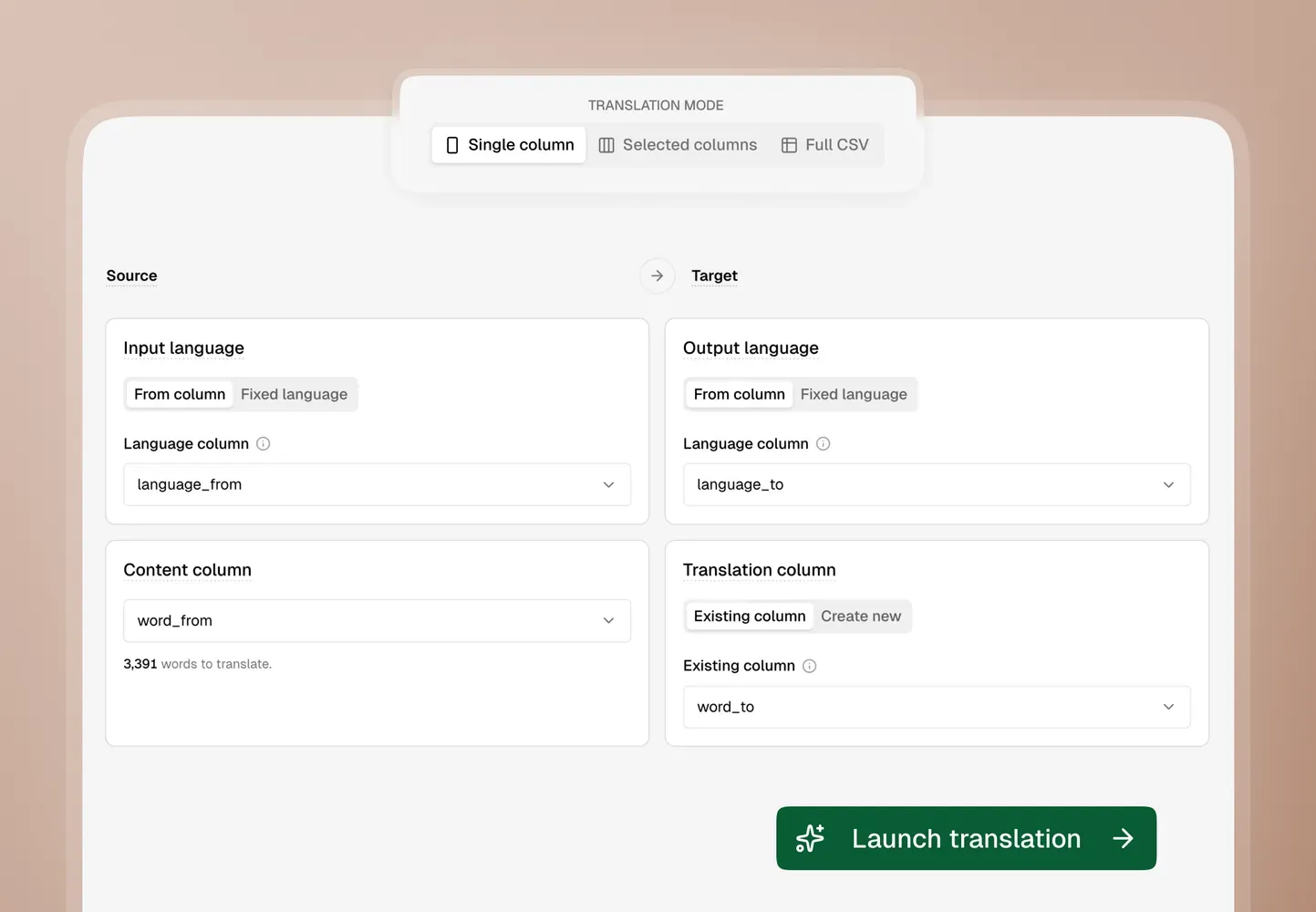
How it works:
- The Free Web Tool (No signup required): Go directly to our Free CSV Translator. Upload your CSV, select your languages and translation mode, review the file structure, and translate up to 500 rows or 10,000 words instantly for free in your browser.
- The AI Glot Platform: Sign up to access the full multi-tenant translation platform. You get 2,000 monthly credits plus a one-time 5,000-credit signup bonus to translate larger files, save your history, and manage glossaries.
Where it’s great:
- Zero friction (Web Tool): No account creation, no email address, and no credit card required. Ideal for quick, one-off translation tasks.
- CSV-native by design: Both the web tool and the platform protect IDs, HTML tags, slugs, prices, and any column you mark as off-limits.
- Glossary & Custom Instructions (Platform): Apply workspace-wide glossaries and batch-specific rules (e.g., “use the formal ‘Sie’ for German”).
- Preview before translating: Catch parsing issues and view exact row/word counts before translation starts.
- Correct structure: Re-exported files are byte-correct and ready for immediate import into Shopify, WooCommerce, or any custom database.
Where it stops being enough:
- The no-signup web tool limits files to 500 rows and 10,000 words (with daily rate limits to prevent abuse).
- For persistent translation history, multi-member teams, and volume beyond the platform’s free credits, you will need to upgrade to a paid workspace.
Verdict: The most frictionless and robust CSV translation workflow available today. Use the free web tool for fast, direct translations, or step up to the platform for brand glossary consistency and larger files.
2. Google Sheets with GOOGLETRANSLATE()
How it works: open your CSV in Google Sheets. Add a column. Type =GOOGLETRANSLATE(A2, "en", "fr") and drag down. Save as CSV.
Where it’s great:
- Genuinely zero cost.
- Zero setup. If you have a Google account, you have this.
- Fine for short cells with no HTML, no brand terms, no tone requirements.
Where it breaks:
- No glossary. “Nike Air Max” might come back as “Nike Air Maximum” or worse, depending on the sentence around it.
- No HTML tag preservation. If your cell contains
<a href="...">click</a>, expect mangled output. - No structural awareness. The formula translates whatever you point it at, including IDs and slugs, if you accidentally drag it across the wrong column.
- Quality is the old-school Google Translate engine, not the modern LLM-grade output you get from DeepL or ChatGPT.
- It’s slow at scale. Past a few hundred rows the formula recalculation gets sluggish and you’ll see
#ERROR!cells from rate limits.
Verdict: a fine starting point for a 30-row glossary file. Not a workflow for a product catalog.
3. LibreTranslate (self-hosted, open-source)
How it works: install LibreTranslate on your own machine or a small server. Point a script (Python, Node, or curl) at your CSV, translate row by row, write the output.
Where it’s great:
- Truly free in licensing terms, you control everything.
- Privacy: your data never leaves your infrastructure.
- Programmable: you can chain it into any pipeline.
Where it breaks:
- You need to be technical. If “self-host” or “Docker” doesn’t sound trivial, this isn’t your tool.
- No glossary, no per-batch instructions, no review step. You write all of that yourself.
- Quality is decent but generally below DeepL or modern LLMs on most language pairs.
- No CSV mode logic. You decide column by column what to translate, in code.
Verdict: a serious option for technical users with privacy or cost constraints. A non-starter for non-technical founders or marketing teams.
4. The free tier of generic AI chat tools (ChatGPT, Claude)
How it works: paste a chunk of your CSV into the chat. Ask for a translation. Copy back.
Where it’s great:
- Quality is high on common language pairs.
- You can paste a glossary into the system prompt for context.
- Genuinely free for small workloads on the consumer tiers.
Where it breaks:
- Output windows truncate large files mid-row.
- Glossary instructions drift across long contexts.
- ID, slug, and price columns get translated unless you split the file by hand.
- HTML tags get lost, duplicated, or wrap the wrong word.
- It’s a tool, not a workflow. Every batch is a fresh manual session.
I covered the deeper failure modes in the hidden cost of translating spreadsheets with Claude or ChatGPT. The summary: chat windows are great for under 50 rows, painful above.
Verdict: keep it for ad hoc paragraphs. Stop using it as a CSV pipeline.
A quick decision tree
To collapse all of the above into a flowchart:
- Structured CSV, brand consistency, or up to 500 rows without creating an account: AI Glot’s Free CSV Translator (no signup) or the AI Glot platform (free tier).
- Under 30 rows, plain text, one-off: Google Sheets
GOOGLETRANSLATE(). Done in five minutes. - Technical user, privacy or cost constraint, willing to script: LibreTranslate self-hosted.
- Under 50 rows, decent quality, willing to copy-paste: ChatGPT or Claude free tier.
The free path is real for every category. The break point is also real, and it almost always shows up the moment your file gets structured (catalogs, CMS exports, app strings) or recurring (you’ll do this batch monthly).
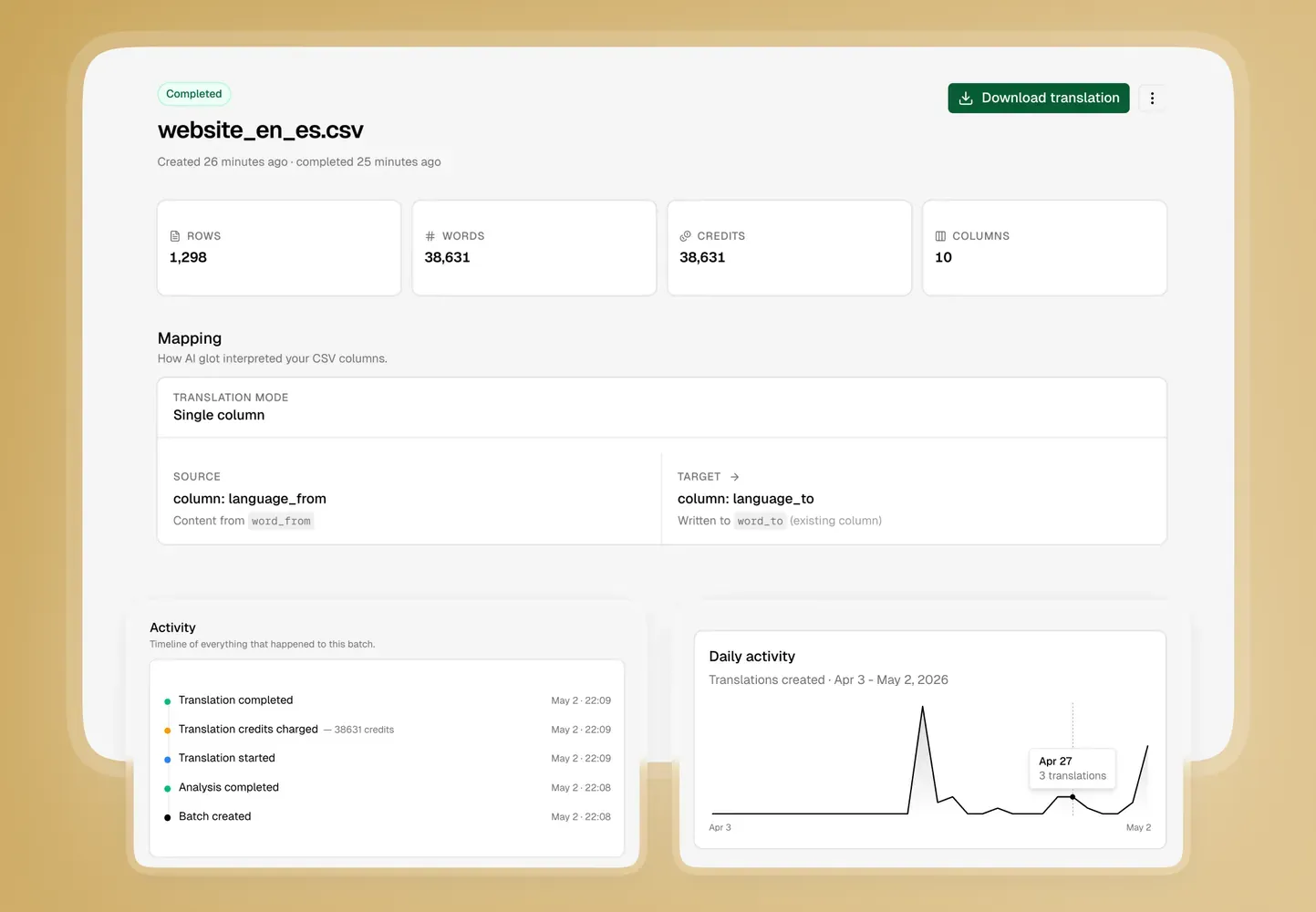
What “paid” actually buys you, in plain terms
If you do graduate from a free tier, here’s what your money is buying:
- Predictable structural protection: the difference between “the CSV looks right” and “the CSV re-imports without breaking your store.”
- Glossary at scale: brand consistency across 1,000+ rows, automatically.
- Per-batch instructions: one-off rules without polluting your permanent glossary.
- Tag and escape handling: HTML tags survive, CSV escaping is correct, encoding stays UTF-8.
- Review and audit trail: you see what you’re about to spend before spending it, and you can trace what was translated when.
If your work crosses the 50-row line on a recurring basis, those features pay for themselves in the time you stop spending on manual fixes.
Start free, move up only when the job grows
Free CSV translation tools exist, and they’re genuinely useful at the right scale. Google Sheets handles tiny files. LibreTranslate suits technical users with privacy needs. ChatGPT and Claude work for ad hoc paragraphs. AI Glot’s free options fit the bigger middle-ground job: structured CSVs, brand glossary, recurring batches, with no card required.
Try the Free CSV Translator directly on our website, or create a free account to start a batch on the full AI Glot platform. The free options are designed to be enough for real projects, not just teasers, so you can see whether the workflow fits your file before you ever consider a paid plan.